Join 11,000+ doctors
Medical Imaging Software
Built for Clinics. See Every Scan.
Images scattered across folders, CDs, and envelopes. Old scans impossible to find. No way to compare studies. Patients bringing physical X-rays that get lost. Sharing with specialists takes days. Healcon puts your entire imaging library in one searchable, cloud-backed platform with instant retrieval and 1-click sharing.
Medical Image Management Challenges Clinics Face — Solved
Scattered files, lost scans, no comparison tools, manual sharing, no EMR link, images on local hard drives — Healcon replaces all of it with one intelligent imaging platform.
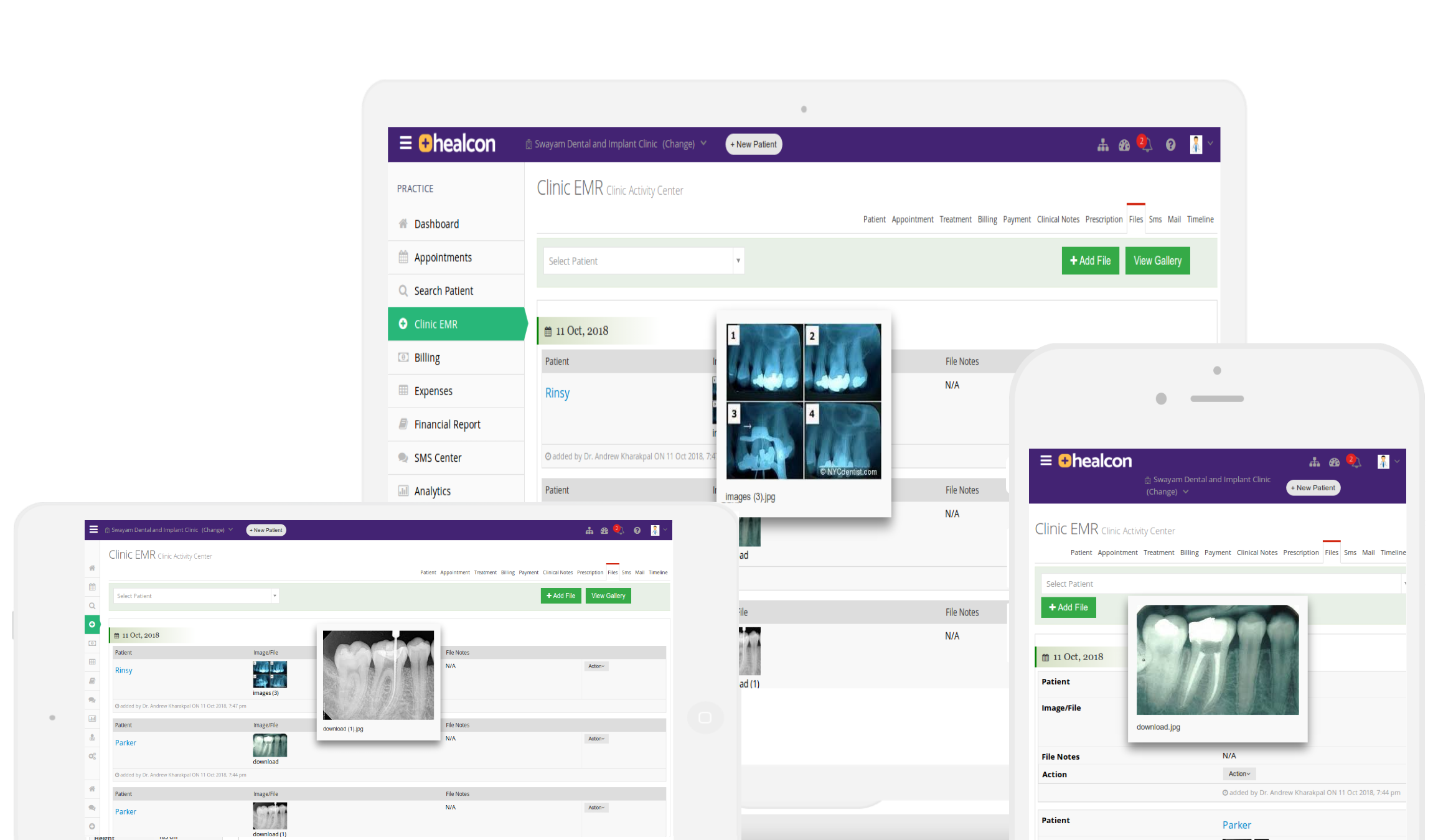
Find Any Image in Seconds
No more digging through folders, CDs, or envelopes. Every image is auto-tagged by patient, modality, and date — so you can pull up any scan instantly, even from years ago.
Zero Lost or Misplaced Images
Physical X-rays get lost. CDs get scratched. Local hard drives crash. With Healcon, every image is stored securely in the cloud with automatic backups — nothing ever goes missing again.
Share With Anyone Instantly
Stop burning CDs or emailing large attachments. Share any imaging study with patients, specialists, or referring doctors via a secure link — with full control over access and expiry.
Scattered Files Everywhere
Images split across folders, CDs, USB drives, and envelopes? Healcon auto-organizes every upload by patient, modality, body region, and date — one searchable library for everything.
Can't Find Old Scans
Patient comes in and you need last year's MRI but can't locate it? Instant search across your entire imaging archive by patient name, date, modality, or body part — results in milliseconds.
No Side-by-Side Comparison
Tracking treatment progress without comparing studies is guesswork. Healcon's built-in viewer lets you place current and prior images side by side with synchronized zoom and pan.
Sharing Is Manual & Cumbersome
Burning CDs, emailing large files, or handing over physical prints? Generate a secure, time-limited share link in one click — recipients view images in their browser, no software needed.
No Connection to Patient EMR
Images stored separately from clinical notes means context is lost. Healcon attaches every image directly to the patient timeline — view imaging alongside prescriptions, notes, and lab results.
Images on Local Hard Drives
Local storage means one crash wipes everything. Healcon stores all images in the cloud with encrypted backups across geographies — accessible from any device, protected from hardware failure.
12 Powerful Modules. One Software.
Everything your clinic needs — from appointments to analytics — in a single platform.
Medical Imaging
Organized medical imaging library.
Key capabilities
- Auto-tags uploaded images to the correct patient and visit
- Smart organization by type — X-ray, CT, MRI, ultrasound
- Full-resolution viewer with zoom and annotation tools
- Instant search across your entire imaging archive
- Secure sharing with patients via encrypted link or email
Cloud-Based Imaging Workflow — Upload to Archive in Seconds
Upload, auto-tag, organize, view, annotate, compare, search, share, link to EMR, back up to cloud — every step connected, zero manual sorting.
Auto-Tagging & Image Organization for Clinics
The problem: Images dumped into generic folders with cryptic filenames. Finding a specific scan means scrolling through hundreds of files — or giving up and asking the patient to repeat the study.
The fix: Every uploaded image is automatically tagged by modality (X-ray, CT, MRI, ultrasound), body region, patient, and date. A clean, filterable gallery lets you jump to the right image in seconds — no manual labelling, no lost files.
Explore EMR Integration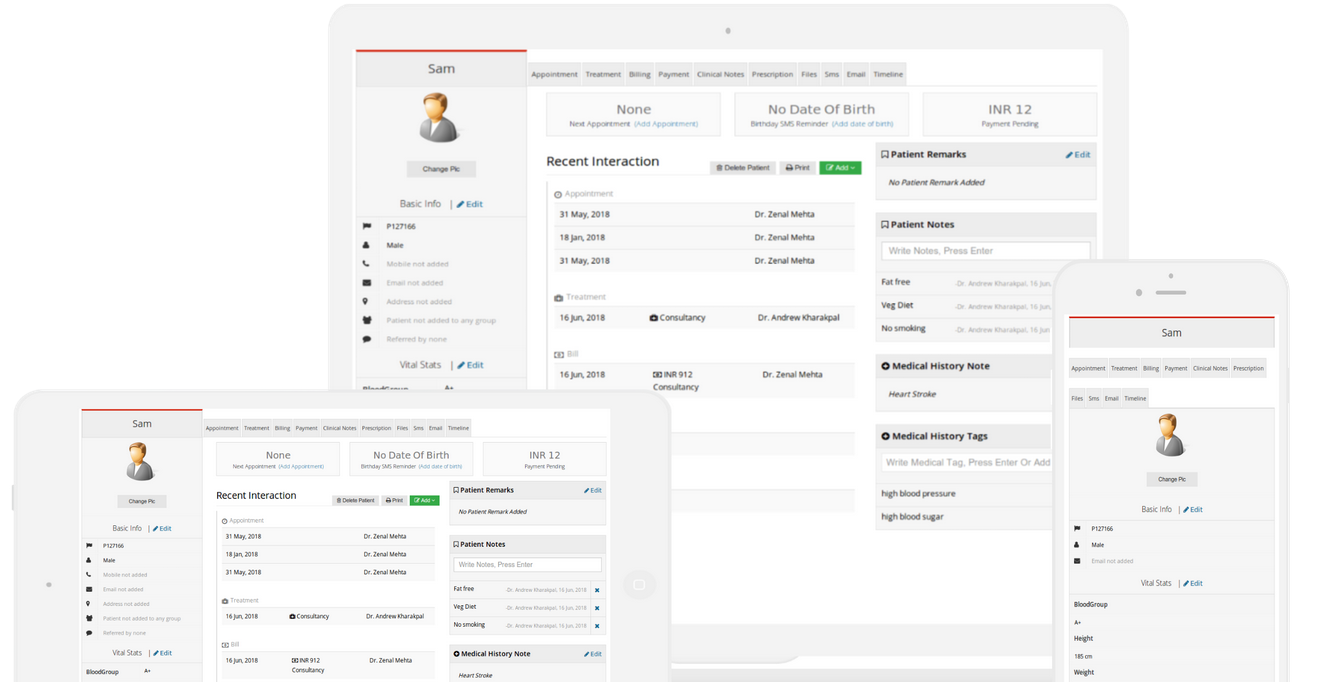
Built-In Medical Image Viewer — No Extra Software
The problem: You need to install bulky DICOM viewers, wait for images to load from CDs, or squint at low-resolution thumbnails that hide critical details.
The fix: Healcon's built-in viewer renders images at full resolution with smooth zoom, pan, brightness, contrast, and inversion controls — right in your browser. Examine every detail without leaving the patient record.
Explore Cloud SoftwareSide-by-Side Study Comparison for Progress Tracking
The problem: Tracking treatment progress means opening two separate windows, resizing images manually, and trying to align them by eye — slow, error-prone, and unprofessional.
The fix: Place current and prior studies side by side with synchronized zoom and pan. Overlay annotations, measure changes, and show patients their progress clearly — all within one screen.
Explore EMR Software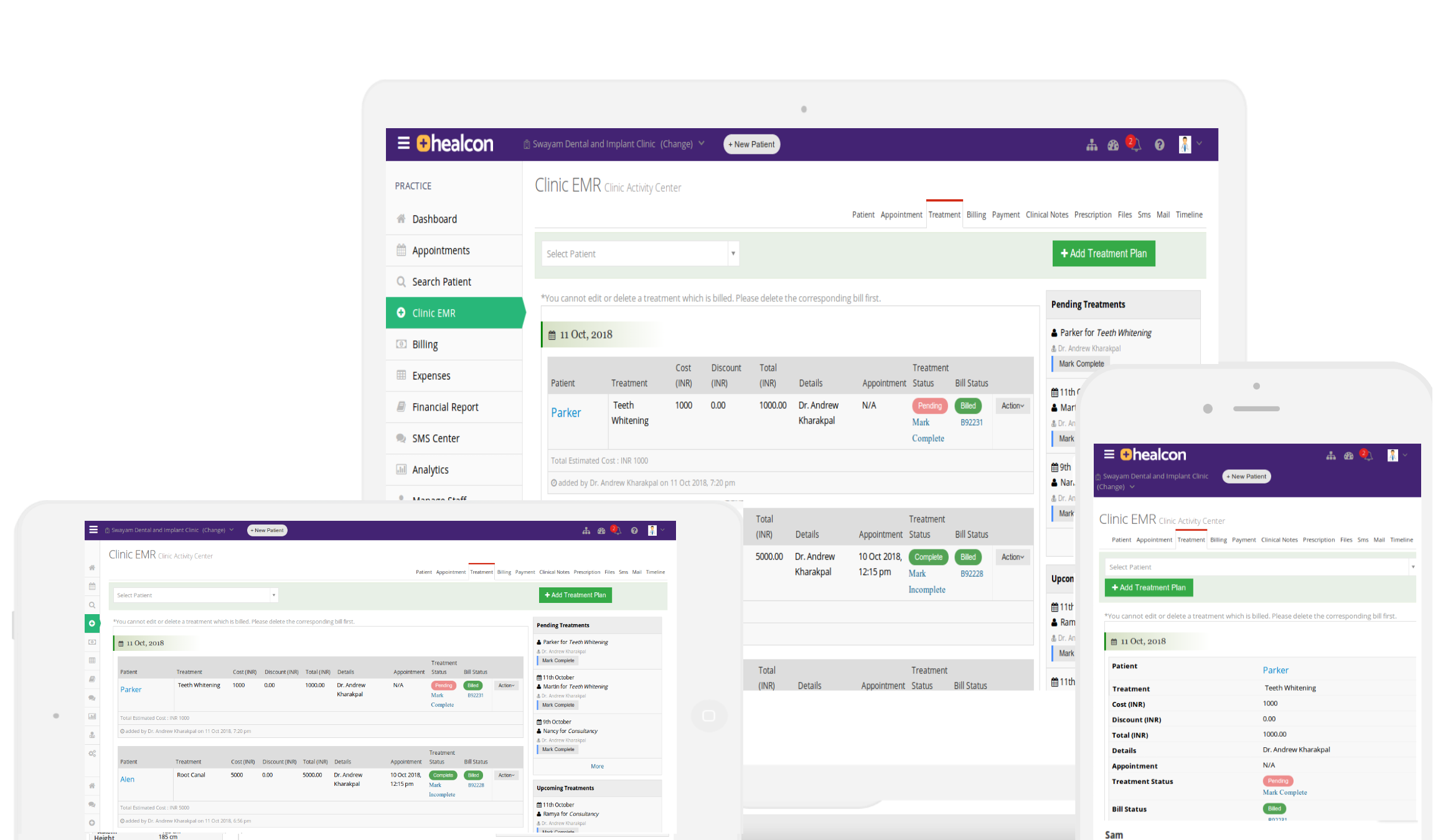
Secure Image Sharing with Patients & Specialists
The problem: Sharing imaging studies means burning CDs, emailing large attachments that bounce, or handing over physical prints that patients lose. Specialists wait days for images they need now.
The fix: Generate a secure, time-limited share link for any study in one click. Control view-only vs. download permissions, track who accessed what and when, and share directly from the patient record — no file exports needed.
Explore Practice ManagementEMR-Integrated Imaging Timeline
The problem: Images stored in a separate system from clinical notes means you lose context. When reviewing a patient's history, you have to switch between apps to piece together the full picture.
The fix: Every image attaches directly to the patient record timeline. View imaging alongside clinical notes, prescriptions, lab results, and treatment plans — a complete longitudinal view of the patient's journey in one place.
Explore e-Prescription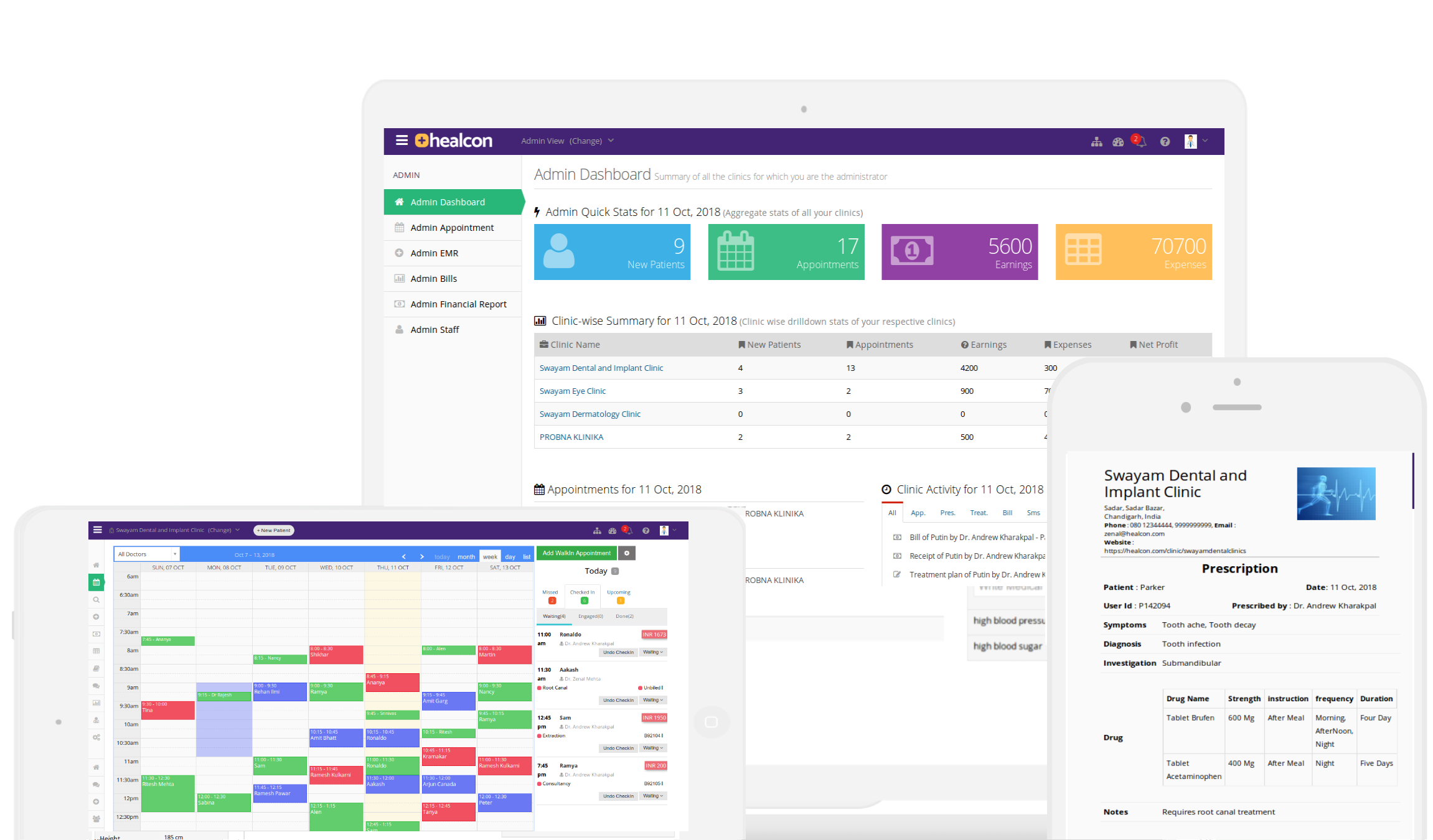
Cloud Storage & Backup for Medical Images
The problem: Local hard drives crash, office computers get replaced, and years of imaging data vanish overnight. Physical media degrades. There's no offsite backup, no disaster recovery plan.
The fix: Every image is stored in encrypted cloud storage with automatic multi-geography backups. Access your entire imaging archive from any device — desktop, tablet, or phone — with 99.9% uptime and zero risk of data loss.
Explore Mobile EMRHIPAA-Compliant Security for Your Medical Images
HIPAA Compliant
Virtual private cloud on Google Cloud Platform.
SHA-256 Encryption
End-to-end encryption for all data in transit and at rest.
Multi-Geo Backup
Backups across geographies protect against data loss.
Google Cloud
Enterprise-grade infrastructure with 99.9% uptime.
Trusted by 11,000+ Doctors for Clinical Imaging and Practice Management
I have tried a couple of other softwares. This in particular seems to be very user friendly. Would definitely recommend to all my counterparts.
Medical Imaging Software — Frequently Asked Questions
What is medical imaging software and how does it help clinics?
What types of medical images can I store in Healcon?
How do I share X-ray or MRI images with patients and referring doctors?
Is Healcon a cloud-based medical imaging solution?
Does Healcon integrate medical imaging with electronic medical records (EMR)?
Can I compare current and prior imaging studies side by side?
How does Healcon organize and tag medical images automatically?
Is Healcon medical imaging software HIPAA compliant and secure?
Replace scattered folders with one cloud imaging platform for your clinic
11,000+ doctors already made the switch. Set up in 2 minutes, see the difference from day one. Free trial — no credit card, no commitment.